To search
You are here: > > > SaveCircle
Softonic Rating:
Good:7/10
License:
Free
Added:
May 13, 2008
Publisher:
Website
File size:
4.5 MB
Downloads:
16
Cyril Roger

“Add auto save to any application”

by Cyril Roger

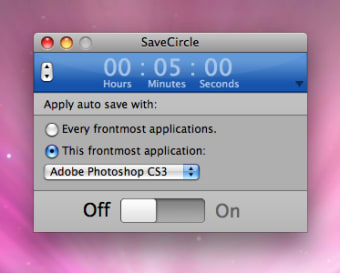
This free little application is good to have around if you forget to save or if you haven't activated autosave in your applications. SaveCircle allows you to set a countdown and auto save for you.

The application offers two choices for auto save: every frontmost applications or the application of your choice. I recommend to leave it for every application as that way you need not worry about which one is saved or not. Just slide the switch (similar to the Time Machine switch) to On to get SaveCircle running.

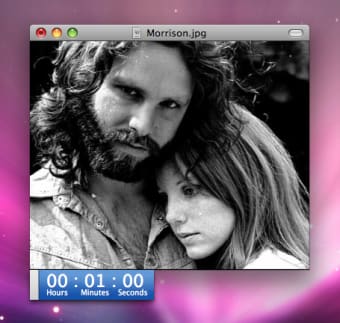
Pressing File from the menu bar will allow you to modify the countdown by minutes or hours. The countdown can appear in the application or be detached. Unfortunately there isn't any easy way to set it by seconds though.

Most applications you use should have auto save running. If not, and if you find yourself forgetting to save your documents, SaveCircle can be a blessing.

Languages:

English

OS requirements for SaveCircle:

  • OS: Mac OS X

Minimum requirements:

  • Processor: PPC/Intel MHz
  • Mac OS X 10.4 or later
Pros
  • Set countdown
  • Works with all applications
Cons
  • Most apps already have autosave
  • Can't change seconds in countdown
Did you like this review?
3 of 4 users liked it (75%)

From the publisher of SaveCircle

With SaveCircle you can save in chosen time the document of the frontmost application. This is simple, transparent and efficient and works with every applications.

SaveCircle options

SaveCircle Options

Reviews for SaveCircle in other languages

Softonic Rating:Good
User Rating
Your opinion is important!

Download stats

Related

Related searches